Redux Toolkit Guide for React
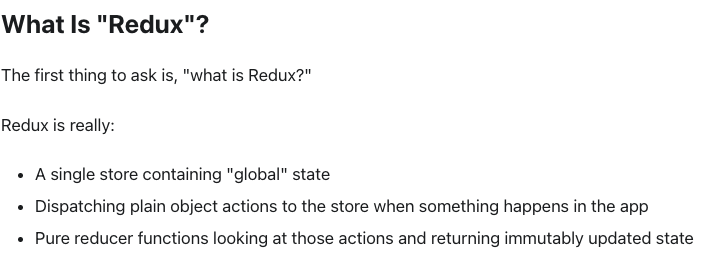
I'd like to provide a concise summary of Redux, a state management library used in React development.
(State management: organizing data applied to UI, making it easy to track and manage)
First, what is Redux?
The image above is from Redux's official documentation. Redux is a predictable state management library that helps manage complex application state in a predictable way.
Redux follows a unidirectional data flow.
- Action: An object describing what happened
- Reducer: A pure function that takes the current state and an action, and returns a new state
- Store: Contains the application state
- Dispatch: Sends actions to the store
How Redux works:
- A user triggers an action through the UI
- The action is dispatched to the store
- The reducer processes the action and updates the state
- The new state is reflected in the UI
Redux Toolkit:
Redux Toolkit is Redux's official library that simplifies Redux development. It includes:
- configureStore(): Simplified store setup with good defaults
- createSlice(): Combines reducers and actions in one place
- createAsyncThunk(): Handles async operations easily
Basic setup:
npm install @reduxjs/toolkit react-redux
Creating a slice (reducer + actions):
import { createSlice } from '@reduxjs/toolkit';

const counterSlice = createSlice({
  name: 'counter',
  initialState: { value: 0 },
  reducers: {
increment: (state) => {
state.value += 1;
},
decrement: (state) => {
state.value -= 1;
},
  },
});

export const { increment, decrement } = counterSlice.actions;
export default counterSlice.reducer;
Setting up the store:
import { configureStore } from '@reduxjs/toolkit';
import counterReducer from './counterSlice';

const store = configureStore({
  reducer: {
counter: counterReducer,
  },
});

export default store;
Using Redux in a component:
import { useSelector, useDispatch } from 'react-redux';
import { increment, decrement } from './counterSlice';

function Counter() {
  const count = useSelector((state) => state.counter.value);
  const dispatch = useDispatch();

  return (
<div>
<p>Count: {count}</p>
<button onClick={() => dispatch(increment())}>+</button>
<button onClick={() => dispatch(decrement())}>-</button>
</div>
  );
}
Handling async operations:
import { createAsyncThunk } from '@reduxjs/toolkit';

export const fetchUser = createAsyncThunk(
  'users/fetchUser',
  async (userId) => {
const response = await fetch(`/api/users/${userId}`);
return response.json();
  }
);

const userSlice = createSlice({
  name: 'user',
  initialState: { data: null, loading: false, error: null },
  extraReducers: (builder) => {
builder
.addCase(fetchUser.pending, (state) => {
state.loading = true;
})
.addCase(fetchUser.fulfilled, (state, action) => {
state.data = action.payload;
state.loading = false;
})
.addCase(fetchUser.rejected, (state, action) => {
state.error = action.error.message;
state.loading = false;
});
  },
});
Key benefits of Redux Toolkit:
- Less boilerplate code compared to traditional Redux
- Built-in Immer for immutable state updates
- Better error messages and DevTools integration
- Simplified async handling with createAsyncThunk
When to use Redux:
Redux is best suited for applications with:
- Complex state shared across multiple components
- Frequent state updates
- Need for predictable state management
- Large-scale applications
For simpler applications, consider using Context API or other state management solutions.
Redux Toolkit provides a modern, efficient way to manage application state in React applications. Start with the basics and gradually explore advanced features as your application grows!