Back to Writing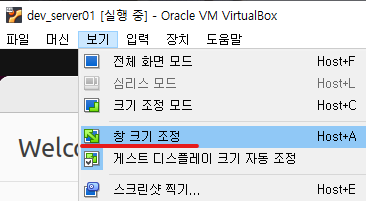
NOTESvirtualboxvmtroubleshooting
Oracle VM VirtualBox - Resolution Settings
March 6, 2023•Updated Feb 17, 2026
First, shut down the running VM and change the graphics controller to VBoxVGA in the settings.
After that, restart the VM, click on "Window Resize" from the View tab at the top, and enlarge the window to increase the resolution.
If the resolution is too small and the UI is not visible, try this method.